Units Module
The Units module provides a simple and organized way to manage measurement units inside the application. It supports full CRUD operations, bulk deletion, filters, and Laravel pagination. The interface is built on top of the Vendventory admin interface and supports both light mode and dark mode for a consistent admin experience.
Overview
The Units module is used to define and manage measurement units that may be used across the application, such as for products, stock, inventory, pricing, or reporting. Examples include units like Piece, Kilogram, Liter, and Meter. The listing page helps administrators manage records efficiently through filters, row actions, and bulk actions. Laravel pagination is used so the page remains clean and scalable when the number of records increases.
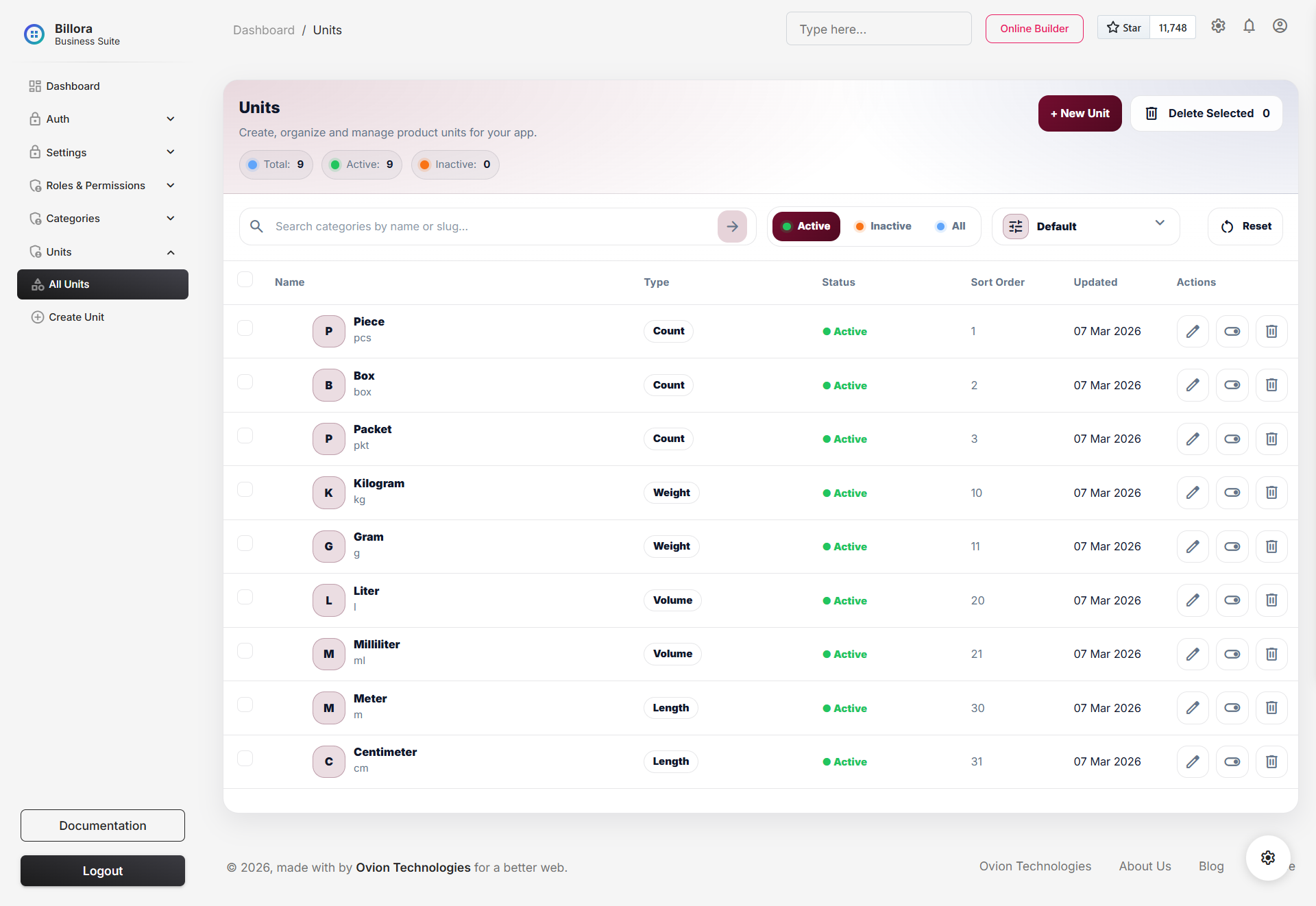
Helps administrators create, organize, sort, activate, deactivate, and manage measurement units from one centralized interface.
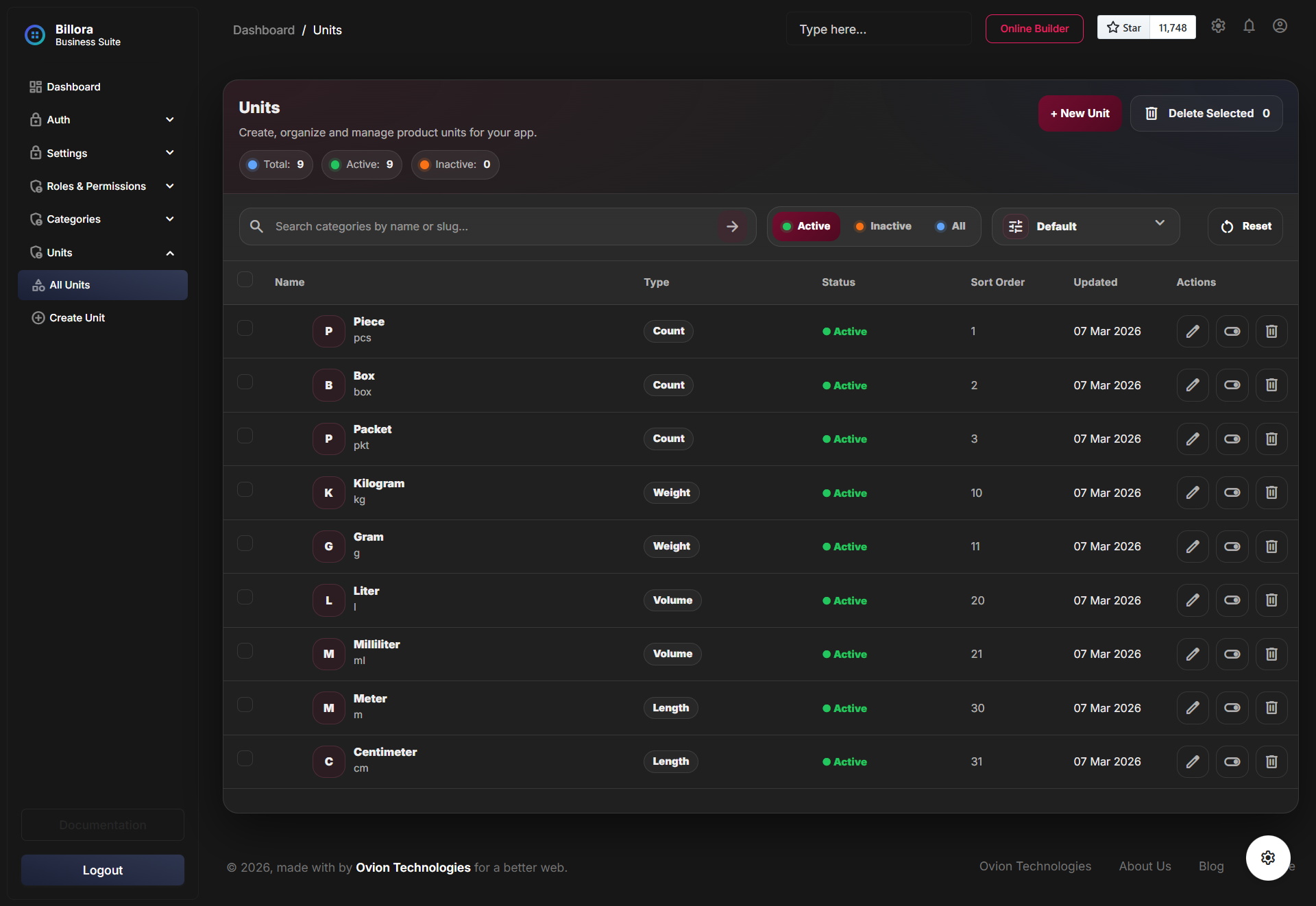
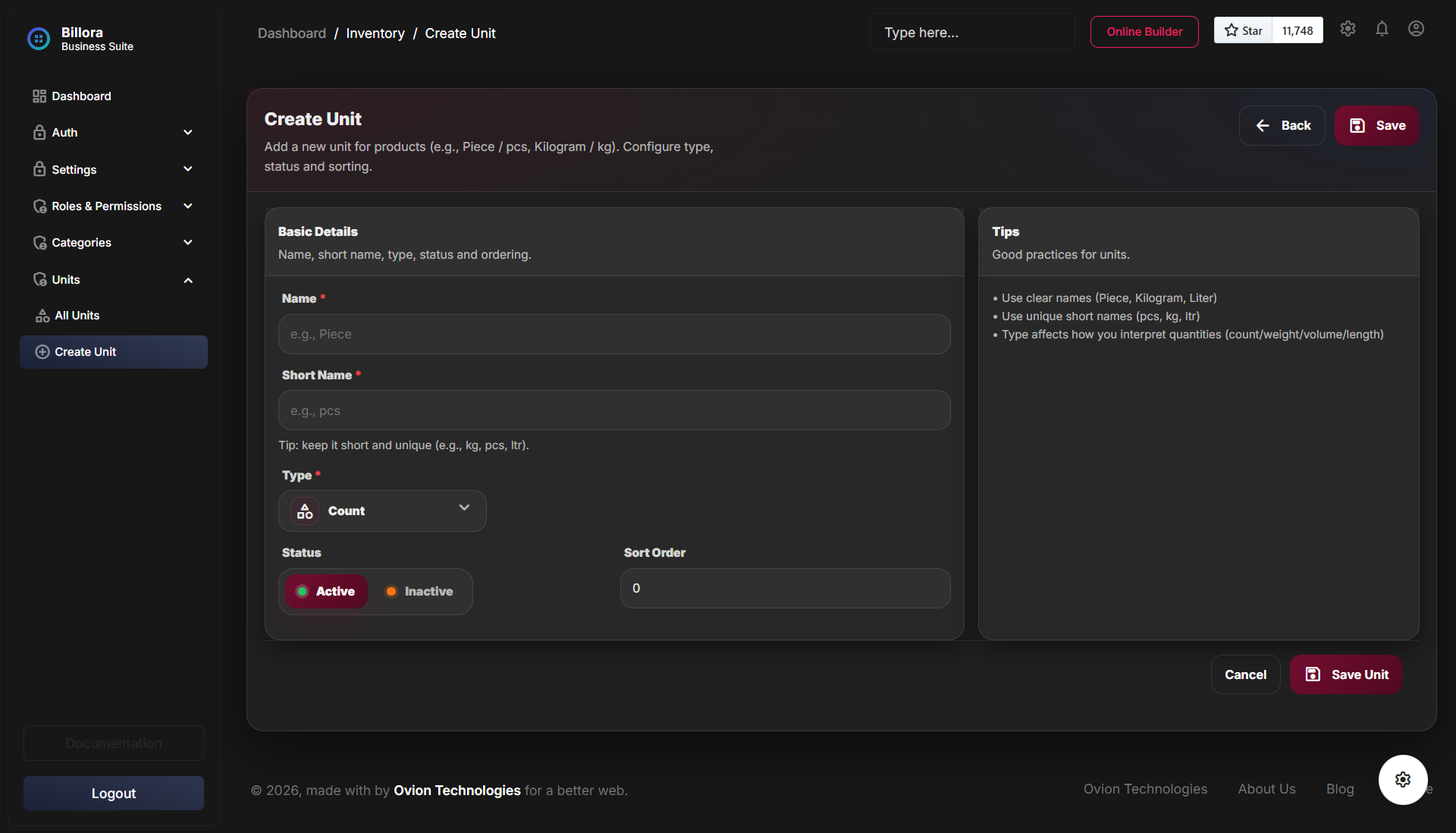
The module is designed to work properly in both light mode and dark mode layouts.
Core Features
- Type: supports count, quantity, weight, volume, length, and other.
- Decimal Precision: controls how many decimals the unit should normally display or accept.
- Conversion Factor: supports cleaner purchase-unit and issue-unit interpretation.
- Packaging Format: helps explain how the unit appears in packaging or retail handling.
- Products Count: the index now highlights how many product records depend on a given unit.
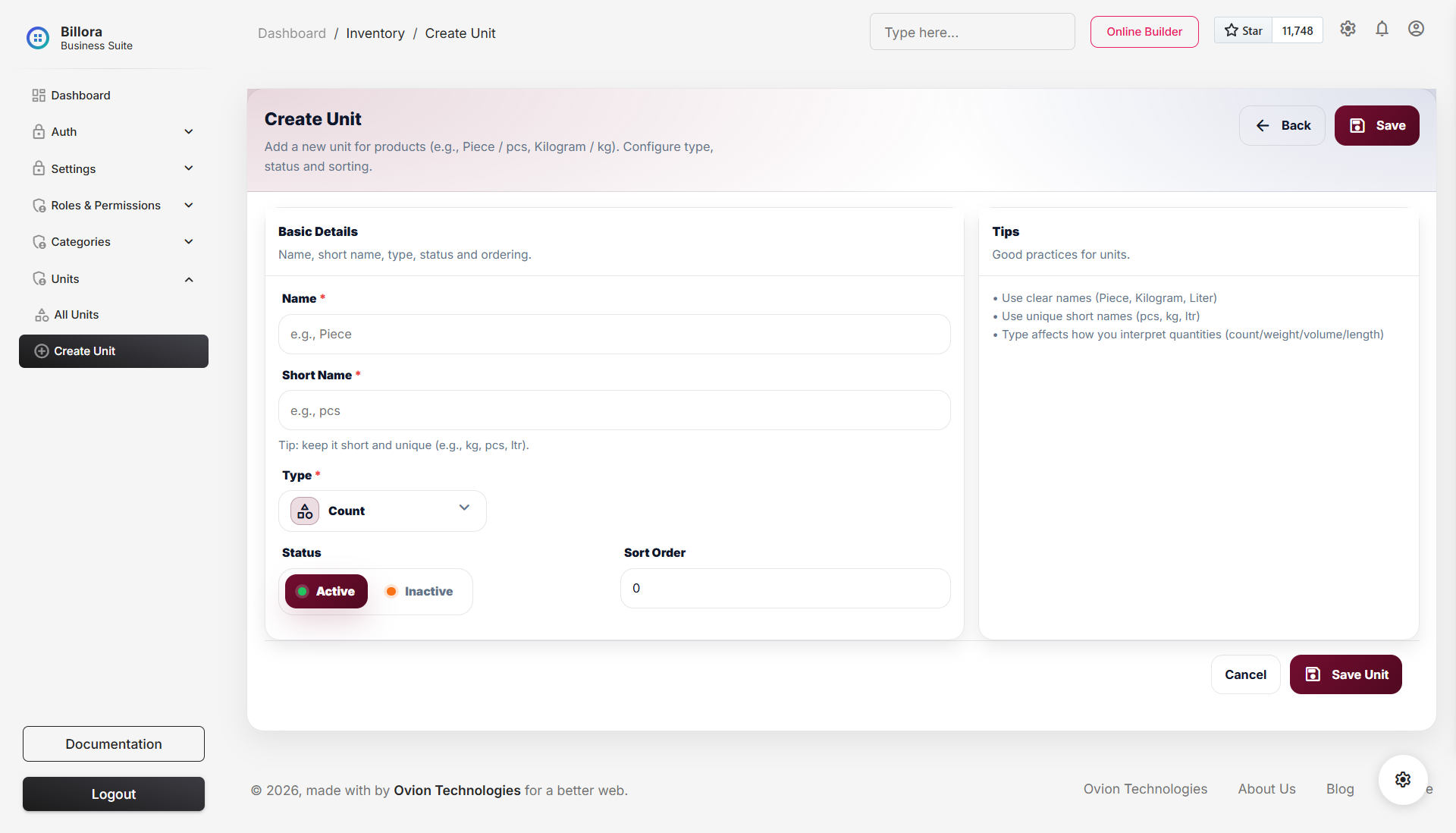
- Create: Add a new unit with fields such as name, short name, type, sort order, and active status.
- Read / List: View all unit records in a clean tabular listing with pagination.
- Update: Edit existing unit records whenever changes are needed.
- Delete: Remove a single unit record from the system.
- Bulk Delete: Select multiple records from the table and delete them together.
- Filters: Use filter options to narrow down the list and find records faster.
- Laravel Pagination: Keeps large unit listings manageable and improves usability.
- Dark Mode Support: The module UI also supports dark mode for users who prefer low-light interfaces.
Architecture
The Units module follows a layered structure to keep the codebase clean, scalable, and easier to maintain. Instead of placing all logic inside a single controller, responsibilities are separated across multiple layers.
- Controller: Handles incoming requests, returns views or responses, and coordinates module flow.
- Service: Contains the main business logic of the Units module.
- Repository: Manages data access and database-related operations in a structured way.
- Repository Interface: Defines the contract used by the repository layer, making the module easier to extend and maintain.
-
Model:
Represents the
unitstable and its related data structure.
Permissions & Security
Permissions are already present in the application and are also applied to the Units module. The system uses Spatie Laravel Permission with a multi-layered approach, so access control is enforced at more than one point.
- Menu Items: Navigation items are shown or hidden according to assigned permissions.
- Controllers: Controller methods are protected so unauthorized users cannot access restricted actions.
- Requests: Request classes also apply authorization checks before processing data.
- Spatie Laravel Permission: Roles and permissions across the module are managed using Spatie's package.
Database Structure
The Units module stores its data in the
units table. The table is designed to
support unit naming, short naming, classification by
type, sorting, activation status, and timestamps.
- id: The primary key of the table. Each unit record has its own unique identifier.
- name: The full display name of the unit, such as Piece, Kilogram, Liter, or Meter.
- short_name: A shorter and unique version of the unit name, such as pcs, kg, ltr, or m. This field must remain unique.
-
type:
Defines the classification of the unit.
Supported values are
count,weight,volume, andlength. - sort_order: A numeric field used to control how units are arranged in the listing.
- is_active: A boolean field that determines whether the unit is active or inactive.
- created_at: Stores the date and time when the unit was created.
- updated_at: Stores the date and time when the unit was last updated.
Unit Types
- count: Used for countable items such as piece, box, pack, or unit.
- weight: Used for weight-based measurements such as kilogram or gram.
- volume: Used for liquid or capacity-based measurements such as liter or milliliter.
- length: Used for length-based measurements such as meter, foot, or inch.
Indexes
- Index on type and is_active: Helps improve filtering and listing performance when records are queried by type and status.
Listing Page
The listing page is designed for daily administrative use. It allows users to browse unit records, apply filters, use row-level actions, and perform bulk deletion where permitted. Laravel pagination ensures the interface remains readable and practical.
- Paginated table: Keeps the interface clean when many records exist.
- Filter support: Helps narrow down records quickly based on selected criteria.
- Bulk selection: Multiple records can be selected for bulk deletion.
- Action controls: Common row actions such as edit and delete are available according to permission.
- Status visibility: Active and inactive units can be identified more easily in the table.
- Type visibility: Unit type can be shown in the listing for quick recognition.
Important Notes
-
The
short_namefield must remain unique. - Units do not use parent-child relationships.
- Permissions are enforced through menu, controller, and request layers.
- Both light mode and dark mode are supported in the UI.
-
The
typefield helps classify each unit properly.
Screen-by-Screen Unit Breakdown
- Unit listing page: browse the measurement units already available in the catalog and see which ones are safe to reuse.
- Create unit: add a new unit code, name, type, precision, and conversion support used by products and transaction rows.
- Edit unit: fix naming or operational settings when the original unit was saved incorrectly.
- Type and precision fields: these tell the app whether the unit is countable, weight-based, volume-based, or packaging-oriented and how many decimals are acceptable.
- Why it matters: units look simple, but they affect pricing, quantity entry, product packaging, and transaction accuracy across purchases, stock outs, and POS.