Settings Module
The Settings module is the control plane for the application. It centralizes business identity, security posture, authentication options, delivery channels, AI copilot runtime, session behavior, and maintenance utilities so operators can change behavior without redeploying code.
Start with general identity, then branding, then security, then channels and AI. This keeps public presentation stable before changing runtime services.
Security, OTP, and AI settings can change login flow or answer quality immediately. Review carefully before saving on a live system.
Overview
Settings is organized as a set of focused admin blocks. Each block controls a separate runtime concern and is designed to be adjusted without affecting unrelated configuration.
- General: core business identity and default operating metadata.
- Branding: visual identity, uploaded assets, and brand presentation.
- Security: password and access policy controls.
- OTP & TOTP: login challenge settings for phone or authenticator based second factors.
- Channels: email and messaging delivery credentials.
- AI Copilot: provider and model runtime for analytics answers.
- Sessions: session lifetime and device behavior.
- Inventory Operations: default warehouse and bin, location enforcement, quarantine defaults, FEFO strictness, alert windows, evidence retention, and integration token policy.
- Tools: maintenance and environment level utilities.
General
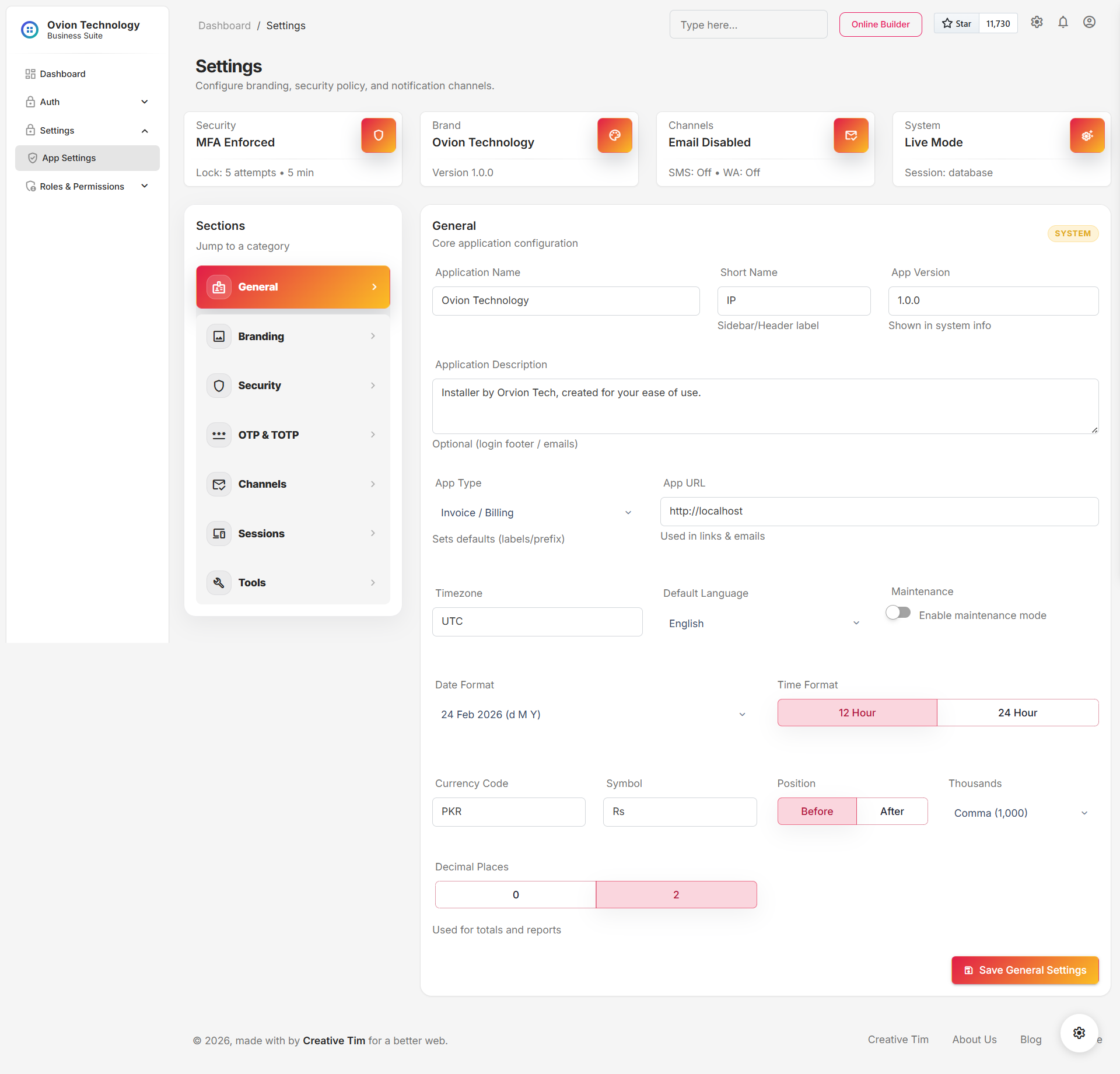
The general section defines the baseline business profile used across invoices, headers, labels, and operational reference areas. It is usually the first block configured during deployment.
- Business name and default identity values shown throughout the interface.
- Contact and location level metadata that may be reused in output documents.
- Common display values that help orient staff across modules.
Branding
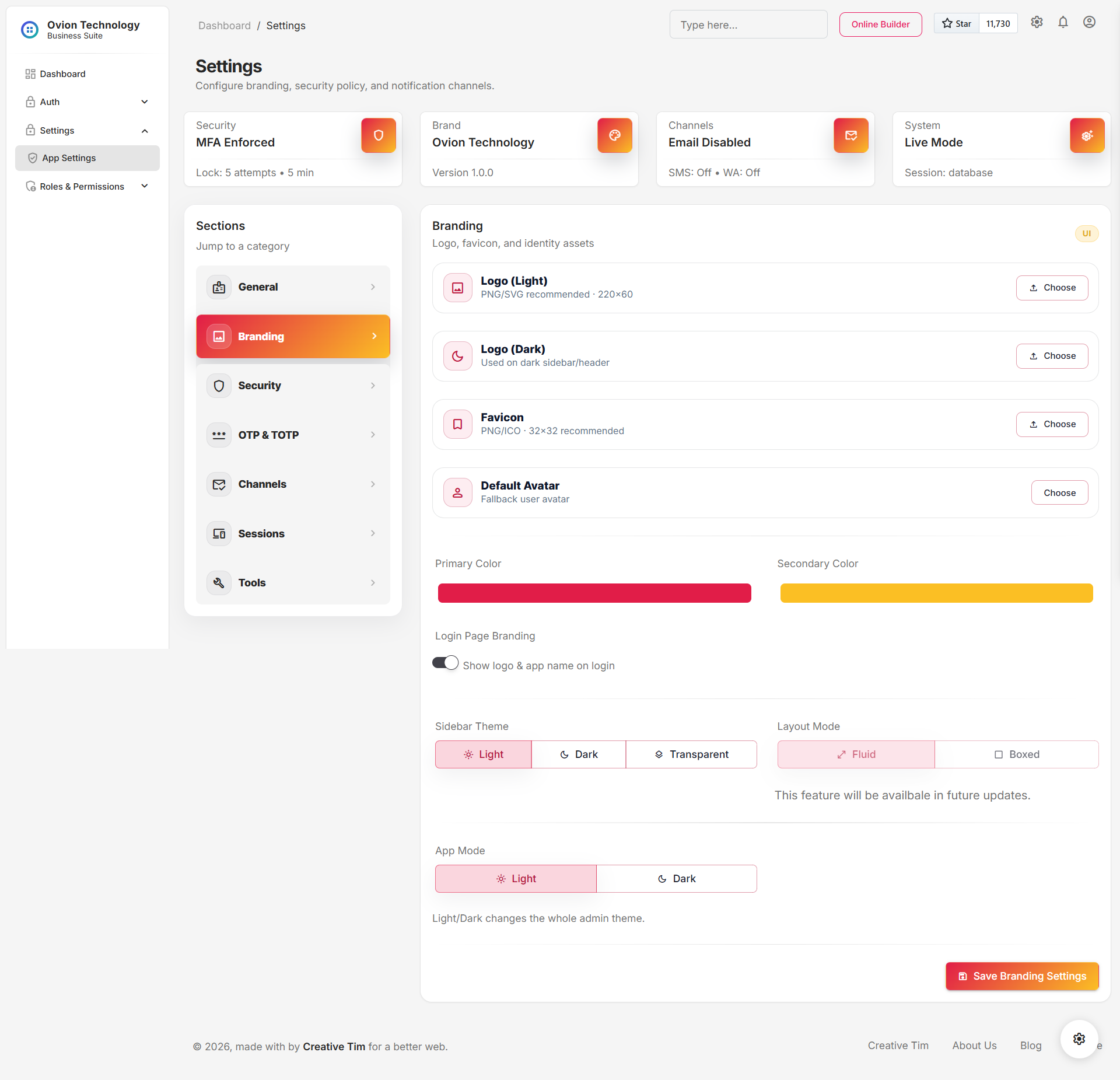
Branding controls how the product presents the business visually. This section is especially important for organizations that share exports, invoices, or other externally visible material.
- Upload logo or icon assets that appear in the UI and printed outputs.
- Align brand imagery with the current business identity after a refresh or acquisition.
- Standardize visual recognition before training staff or onboarding new branches.
Security
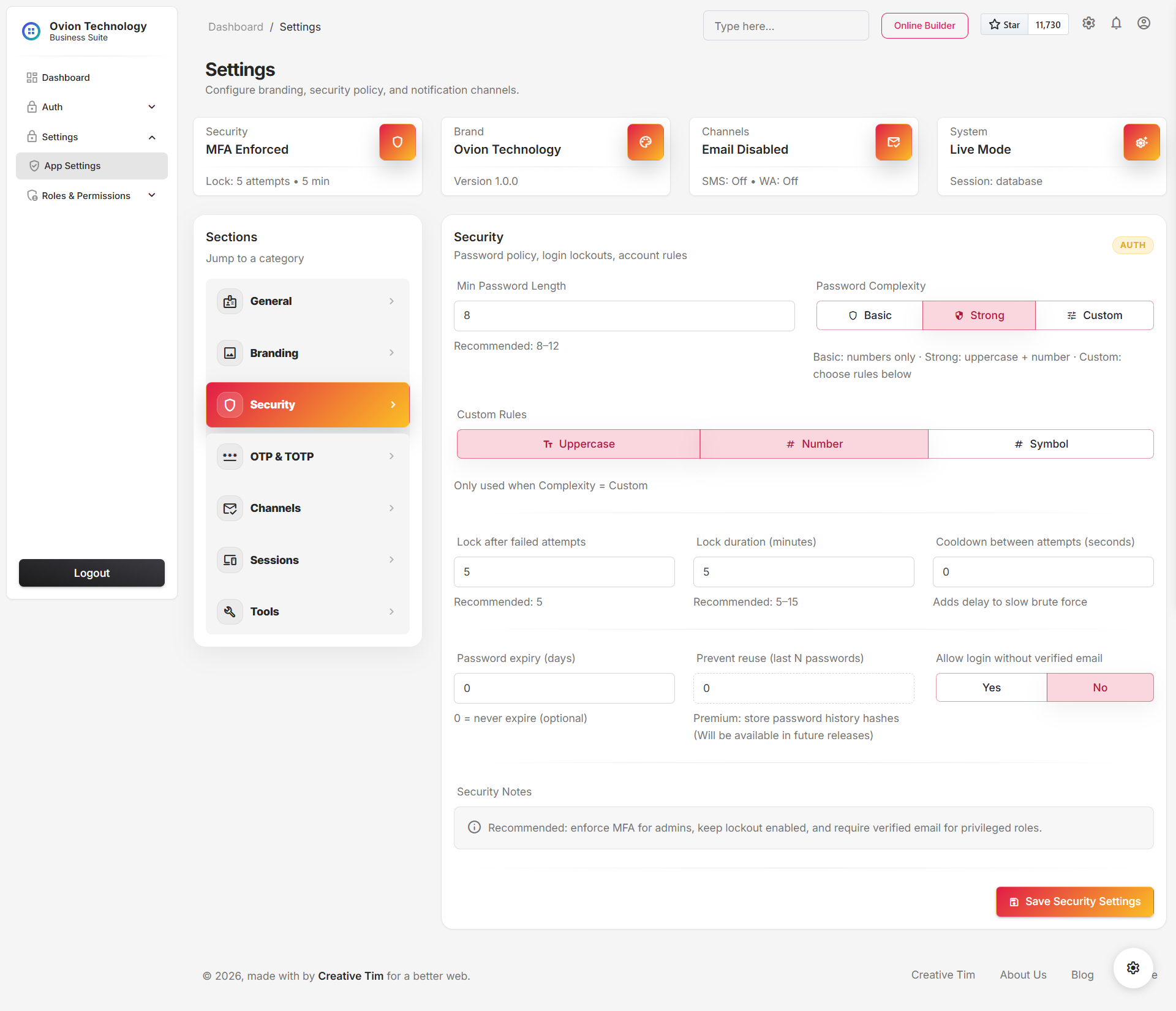
The security block controls guardrails around authentication and access hardening. Changes here should be reviewed with the same discipline as infrastructure changes because they affect how users enter the system.
- Password policy should match the organization risk profile.
- Access-related toggles should be reviewed when onboarding contractors or temporary staff.
- Any change here should be communicated before the next login cycle.
OTP & TOTP
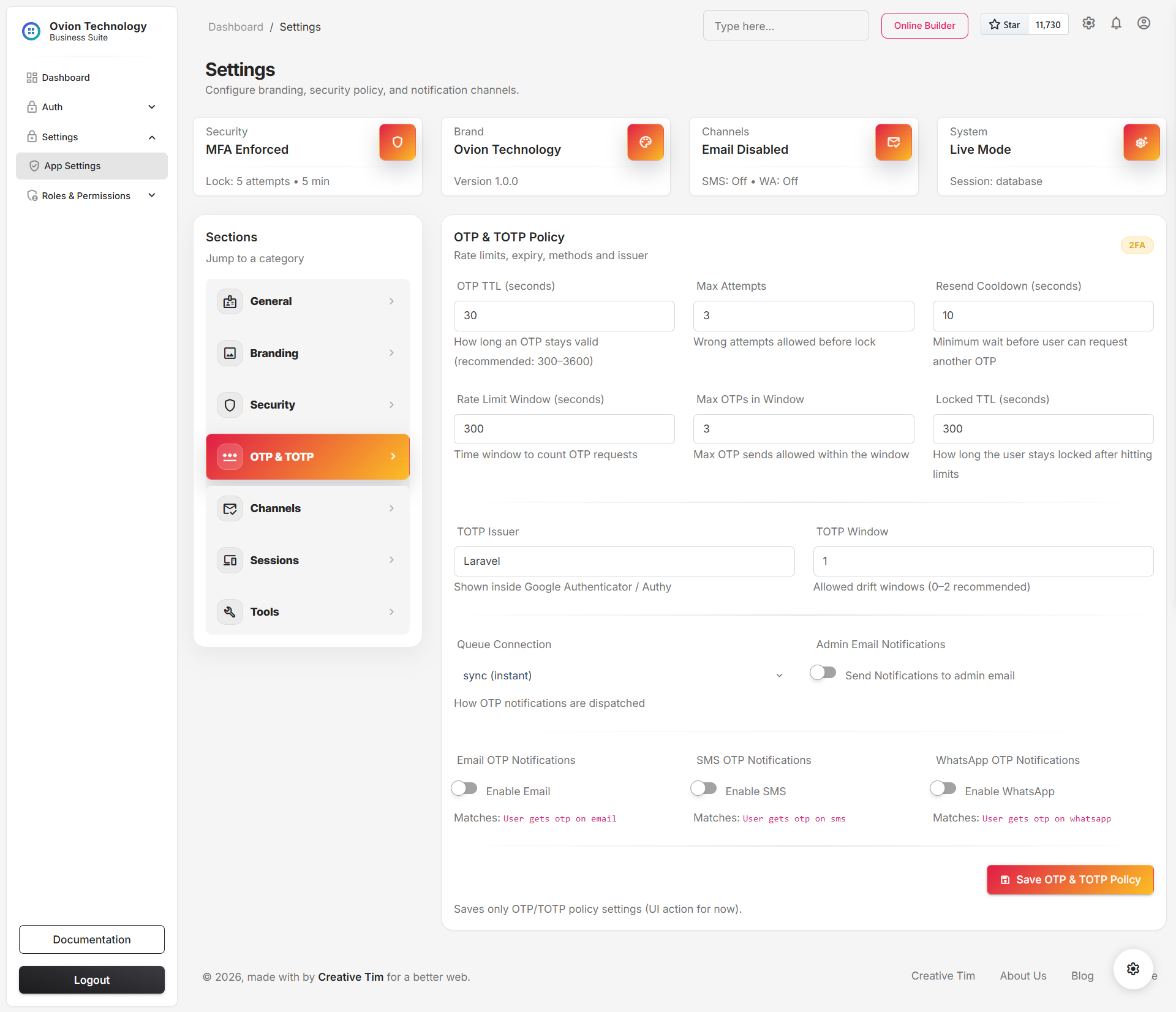
This section covers second-factor behavior for one-time passwords and authenticator flows. It should be read together with the Authentication & 2FA module documentation because the settings here directly affect the login experience.
- Whether login should challenge with OTP or TOTP in supported flows.
- Timing, retry, or delivery-related behavior for one-time code verification.
- The balance between user convenience and authentication assurance.
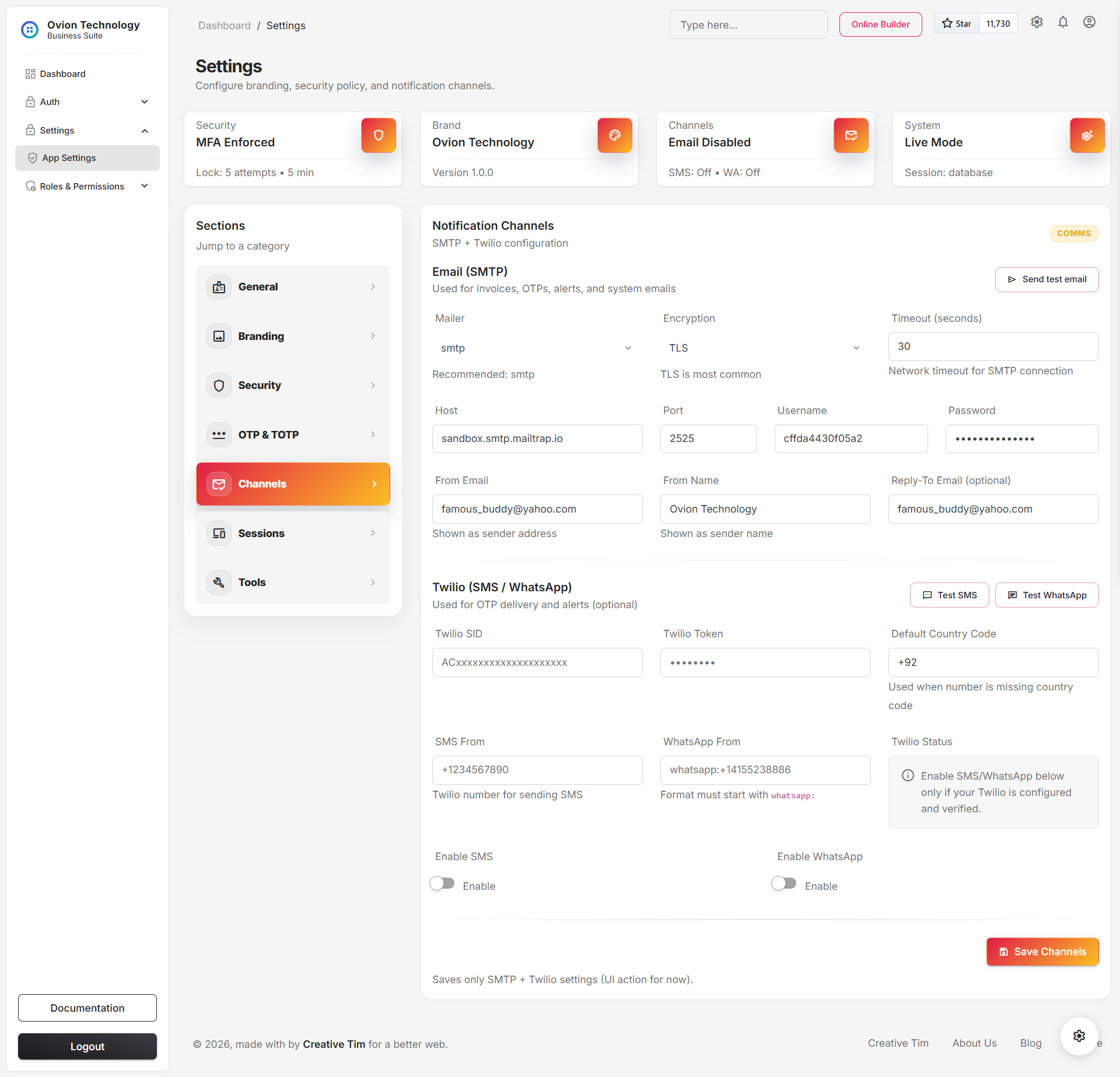
Channels
Channels hold delivery credentials and provider details for outbound communication such as email or phone-based verification. This is where system messaging moves from app logic into real-world delivery services.
- SMTP sender identity and relay details.
- Messaging provider credentials used for OTP or alerts.
- Environment-specific channel settings for test versus production delivery.
- Sensitive credentials are treated as secrets and should be updated only by trusted admins.
- After a credential change, test the affected flow immediately instead of waiting for a live failure.
- Rotate provider credentials whenever team ownership changes.
AI Copilot
The AI Copilot settings control the analytics copilot used in the admin shell. This runtime is read-only and is designed to explain current report context, summarize risk, and suggest next questions from curated business facts.
- Enabled: turns the copilot runtime on or off for supported users.
- Driver: selects the configured provider implementation.
- Timeout: limits how long the app waits for an AI response before falling back.
- History limit: controls how much recent conversation context is retained per request.
- Base URL: supports provider compatible endpoints when a custom API host is required.
- API key and organization: identify the account and are treated as secret values.
- Model and temperature: tune the answer style and response behavior.
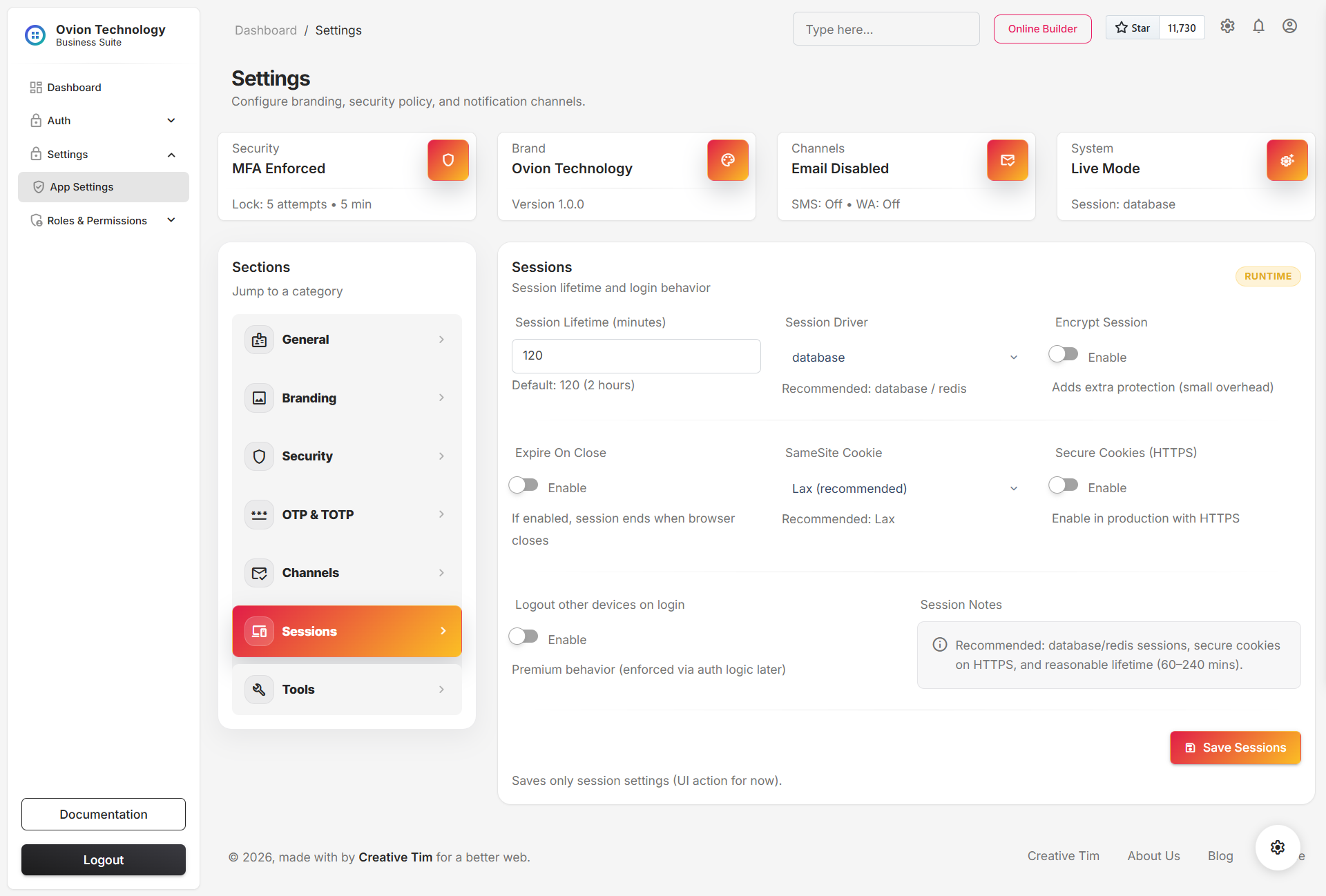
Sessions
Session settings control how long authenticated users remain active and how the application should treat device continuity. This area helps balance convenience, shared terminal safety, and account hygiene.
- Shared workstations need shorter session windows than personal devices.
- High-turnover environments benefit from more aggressive session expiry.
- Changes should be aligned with security and OTP expectations so login behavior remains coherent.
Inventory Operations
Inventory Operations was added to bring warehouse-policy and governed-inventory defaults into the main settings layer. It connects location discipline, receiving defaults, FEFO policy, label standards, and integration-token behavior in one place.
- Default warehouse and bin: preferred transaction defaults for receiving and issue flows.
- Require warehouse and bin: whether operational forms must capture location context.
- Quarantine on receive: whether incoming lots default into hold status.
- FEFO strict mode: the baseline enforcement posture for governed issue workflows.
- Cold-chain and compliance alert days: default warning windows used by the governance suite.
- Evidence retention, label symbology, scheduled brief frequency, and integration token TTL: shared runtime defaults for operations and external exchange.
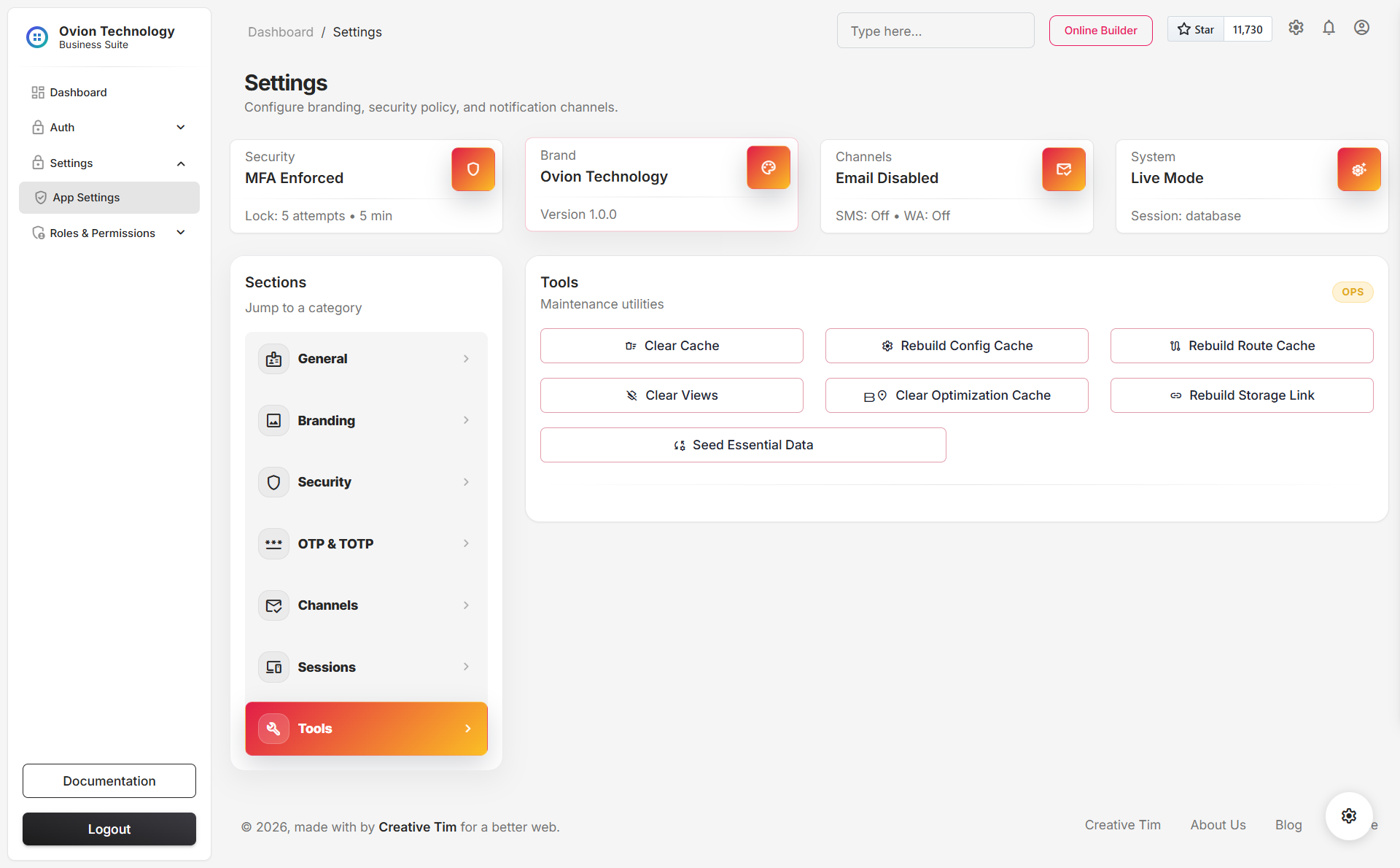
Tools
Tools is the maintenance area for administrative actions that do not belong inside daily transaction modules. It combines cache and storage maintenance, structured diagnostics, and one guarded cleanup action for resetting operational data without reinstalling the application.
- Clear and rebuild framework caches when environment values, permissions, or routes change.
- Rebuild the public storage link after file or hosting changes.
- Run diagnostics to inspect APP_KEY, database, cache, sessions, mail, Twilio, AI runtime, and writable paths.
- Use Refresh Database when you need to remove operational or demo data without rerunning the installer.
-
Requires typing the exact confirmation phrase
REFRESH DATABASE. - Clears catalog and transaction records such as categories, suppliers, products, purchases, stock outs, stock adjustments, and related movement rows.
- Removes shipped demo staff accounts while preserving system settings and the currently signed-in account.
- Does not rerun migrations, does not reseed demo content, and does not act as a reinstall feature.
Save Model and Runtime Behavior
Settings do not behave like a single all-or-nothing form. The interface is organized into section-scoped saves so administrators can update one runtime area without touching the others.
- The active section is validated according to its own rules.
- Values are persisted in the database-backed settings store.
- Secret fields remain protected as secret values rather than plain text configuration.
- Runtime configuration reads the updated values from the settings layer, allowing behavior changes without a code deploy.
General, Branding, Security, OTP, Channels, AI, Sessions, then Tools.
Save one area, validate the affected workflow, and only then move to the next section.
Best Practices
- Treat settings changes as operational change management, not casual UI edits.
- Review security, OTP, channel, and AI changes in a staging or low-risk window when possible.
- Test any provider-backed setting immediately after saving, especially email, SMS, and AI credentials.
- Keep branding and general identity aligned before generating externally visible documents.
- Document who changed sensitive runtime values and why, even if the system already records the change internally.